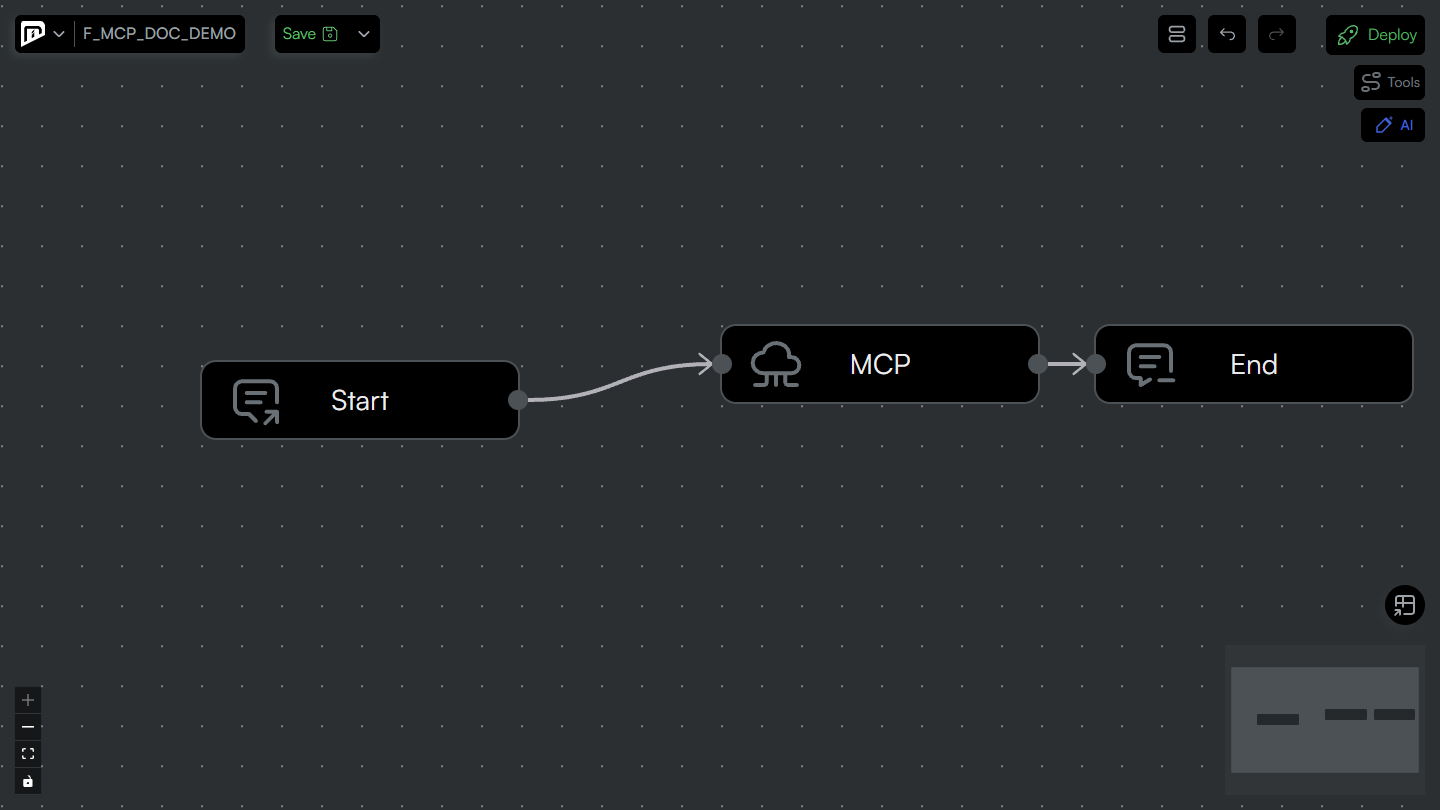
MCP Server Connector
The MCP Server Connector invokes a single tool on a configured MCP server and returns the tool's result to the flow.
Service Description
The MCP Server Connector is placed as a step inside an integration flow. When the flow reaches the node, the connector resolves which tool to call, reads the tool arguments from the message, invokes the selected MCP server over its configured transport (STDIO or Streamable HTTP), and replaces the message body with the tool's result. Authentication, monitoring and error handling are provided by the platform — the node only declares which server, which tool and how to retry.
Required Connector Properties
-
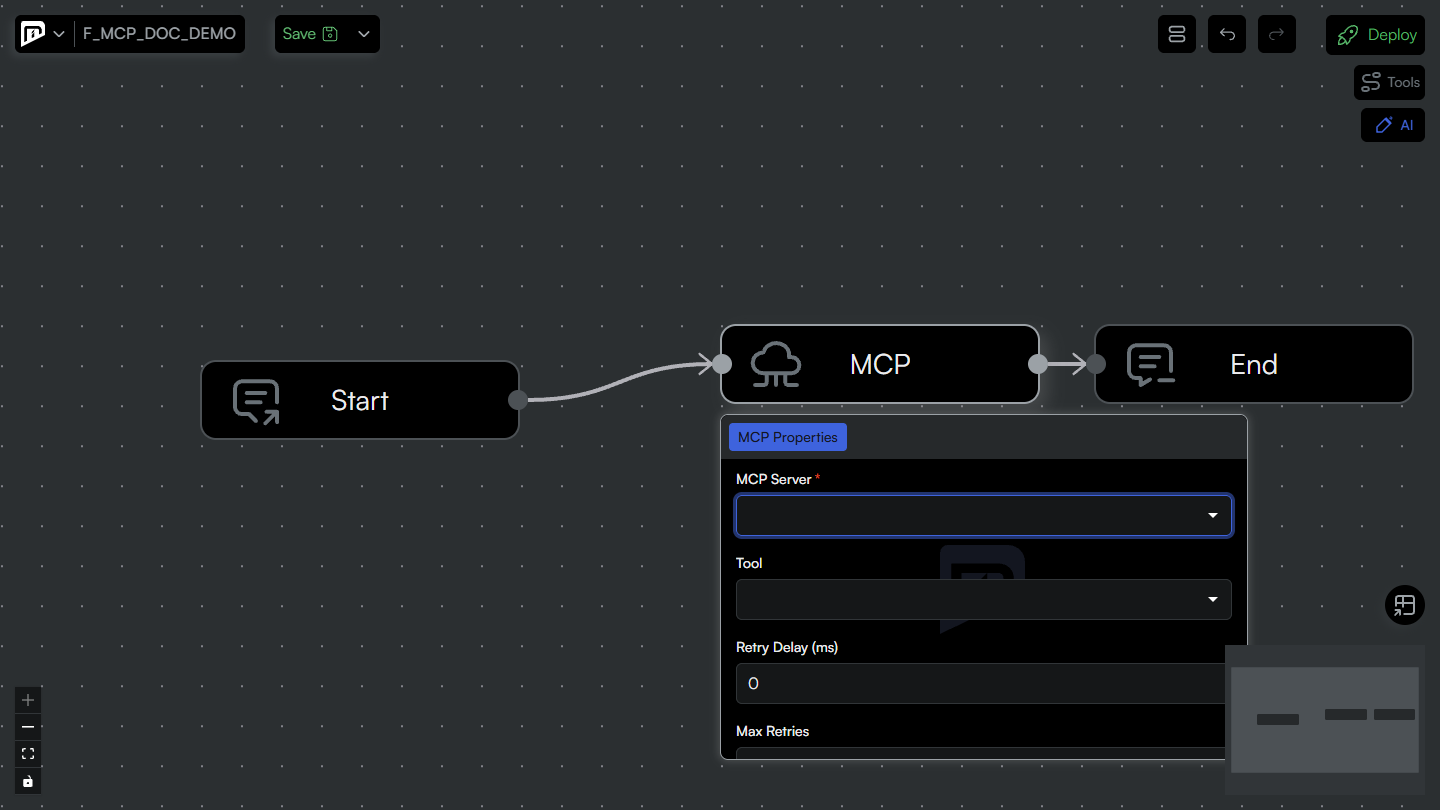
MCP Server: The MCP Server definition to call. Select an existing server defined under Operations → MCP Servers. The server is referenced by its identity, so renaming the server does not break the flow.
-
Tool: The tool to run on the selected server. The list comes from the server's tools (run Refresh Tools on the server first). Choose a specific tool, or leave it on (Use server default) to use the server's Default Tool. If neither is set, the step fails with an error.
-
Max Retries: The number of additional attempts if the tool invocation fails.
0means a single attempt with no retry. -
Retry Delay (ms): The delay, in milliseconds, between retry attempts.
Configuration Details
Selecting the Tool
- Pick a specific tool when the server exposes several tools and this step always calls one of them. The dropdown is filled from the server's discovered tools.
- Leave the tool empty to defer to the server's Default Tool. This keeps the flow stable when the tool name is managed centrally on the server definition.
- The tool's input schema (visible from View Tools on the MCP Server) describes the arguments the tool expects.
Providing Tool Arguments
The tool arguments are taken from the message reaching the node. Supply them as the message body — either as a structured map or as a JSON object — shaped to match the tool's input schema. Use a preceding Mapping or Set Context step to build the argument payload when the incoming message does not already match.
Retry Behaviour
- Max Retries and Retry Delay (ms) apply to transient failures of the invocation (for example, a temporarily unreachable server).
- Leave both at
0to attempt the call once. Increase them for servers that may be briefly unavailable.
Message Flow
- The flow reaches the MCP Server node.
- The connector resolves the target tool (the node's tool, otherwise the server's Default Tool).
- The tool arguments are read from the message body.
- The connector connects to the MCP server using its configured transport and authentication.
- The selected tool is invoked with the arguments.
- On success, the tool result is placed on the message body and passed to the next step.
- On failure, the call is retried according to Max Retries / Retry Delay; if it still fails, the flow's error handling takes over.
Authentication
The connector does not define its own credentials. Authentication is taken entirely from the selected MCP Server definition (None, Bearer, API Key, Basic, OAuth2 or Client Certificate), where the credential is resolved from the Credentials page and injected into the connection. See MCP Servers for the authentication options.
Best Practices
- Refresh first: Always run Refresh Tools on the server and confirm a Connected status before wiring the node, so the tool list and schemas are available.
- Prefer a Default Tool: For single-tool servers, set a Default Tool and leave the node's Tool empty to keep flows resilient.
- Shape arguments upstream: Build the tool's argument payload with a Mapping or Set Context step that matches the tool's input schema.
- Use retries deliberately: Enable retries only for servers that can be transiently unavailable; keep them at
0for fast-failing, idempotency-sensitive calls. - Reuse definitions: Reference one centrally managed MCP Server across flows instead of duplicating server configuration.
Use the MCP Server Connector when a process needs an AI evaluation or a tool-backed operation as one of its steps — for example, enriching or classifying an incoming document, then routing the result through the rest of the integration. The AI/tool call runs under the same authorization, monitoring and error-handling discipline as the flow's other connectors.
Error Handling
Common errors and solutions:
- No tool resolved: Neither a node Tool nor a server Default Tool is set. Select a tool on the node or set a Default Tool on the server.
- Server not Connected: The connection to the server failed. Open the MCP Server, check the last connection error, fix the configuration or credential, and run Refresh Tools.
- Authentication error: Verify the Authentication Type and the referenced credential on the MCP Server definition.
- Invalid arguments: The message body does not match the tool's input schema. Adjust the upstream mapping.
- Server disabled: A disabled MCP Server cannot be invoked. Enable it from the Operations page.
Integration Example
A typical flow using the MCP Server Connector:
- Receiver / Start: Receives the incoming message (for example, a shipment notice).
- Mapping / Set Context: Builds the argument payload that matches the tool's input schema.
- MCP Server Connector: Invokes the tool and returns its result onto the flow.
- Condition: Routes the flow based on the tool result.
- Application / Technology Connector: Persists or forwards the outcome (for example, to an ERP) and notifies the relevant systems.